

Nothing about the catalogue differs between the two panels. The recovery is a page and a list, not a purchasing decision.
A zero-result search is two things at once, and most stores waste both. It is a visit about to end, recoverable with a page that offers close matches and a way to be told later instead of the words "no results found". And it is a ranked demand signal: a list of exactly what people came to your store expecting to find, in their own words, which is more specific than any keyword tool will ever give you. The first is a design job. The second is a purchasing and merchandising input, and it is free.
One event, two opportunities
Chapter 4.9 covered how to stop searches failing. This chapter is about the ones that fail anyway, because some always will. A failure is not only a loss.
Compilations of search behaviour report that a large majority of shoppers who hit an unsuccessful search leave and buy elsewhere rather than trying again. They are on your site, at peak intent, and the store has just said no.
This is recoverable with a page, and the page costs nothing to build.
A keyword tool estimates what people search for on the internet. Your zero-result log records what people typed into your store, having already chosen to be there, in the words they actually use.
Ranked by frequency, that list is a purchasing brief, a synonym list and a product-title rewrite, all free.
A failed search is a customer telling you, unprompted and in their own words, exactly what they came for. Most stores answer it with four words and throw the rest away. The Dropshipping Playbook
What the page should do
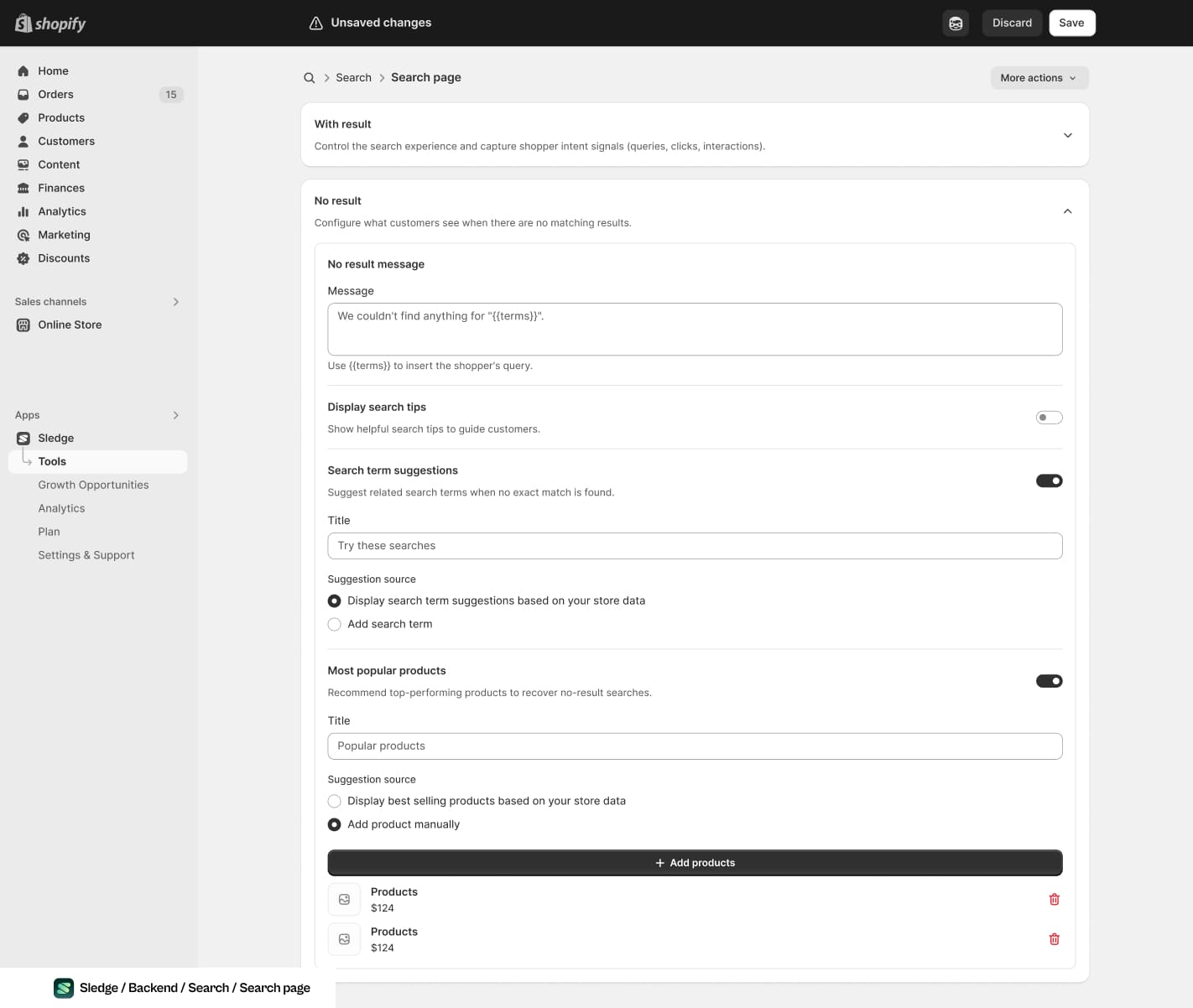
Three of the four jobs below, as three blocks on one screen. The message repeats the query back, and everything under it is an alternative.
"No results found" is the default in most themes and it is the worst available answer, because it terminates the interaction and offers no alternative except leaving.
A recovery page has four jobs, in order:
Note the third row's fallback. Showing your best sellers to someone who searched for something else is a weak answer, and still better than nothing, because it keeps the session alive long enough for the shopper to find a second reason to stay.
Triaging the list
Once you have a ranked log of failed queries, most of them fall into four buckets, and only one of them is a purchasing decision.
| Bucket | What it means | What to do | Cost |
|---|---|---|---|
| You sell it, wrong word | Vocabulary gap | Add a synonym, or retitle the product | Minutes |
| You sell it, misspelled | Matching too strict | Turn on misspelling tolerance | A setting |
| Not a product | "returns", "shipping", "contact" | Include content pages in search | A setting |
| You genuinely do not sell it | A real gap | Notify-me, then decide with the count | A sourcing decision |
Three of the four are free and take an afternoon. The fourth is the interesting one, and it is the only place in this playbook where a storefront signal turns into a supplier conversation: a query appearing hundreds of times a month, from people who chose to visit your store, is a stronger case for sourcing something than any keyword volume estimate.
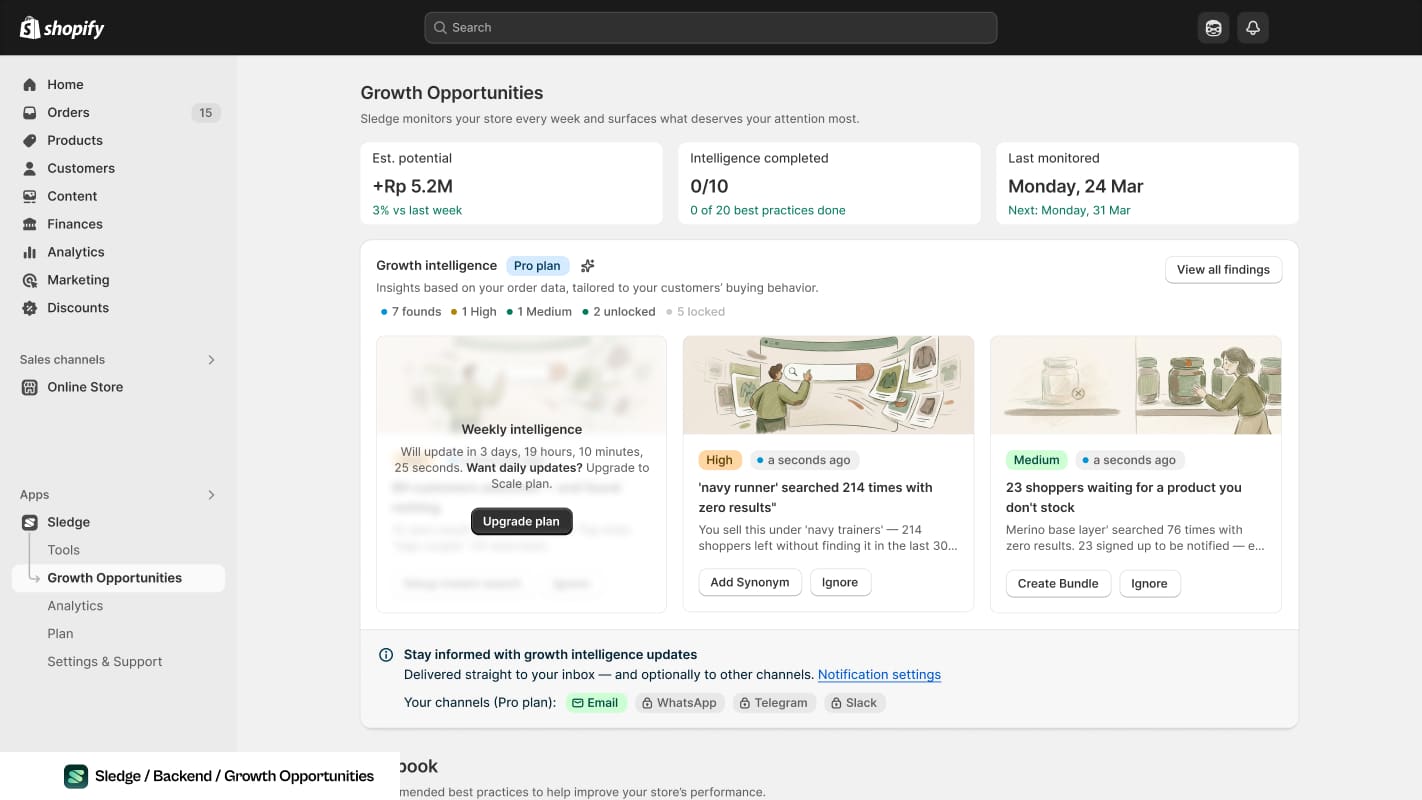
A count attached to a query, and a count attached to the people who asked. That is the sourcing case the paragraph above is describing.
The constraint, again
All of this depends on the queries existing somewhere, and by default they do not.
Chapter 3.4 made the general case: search queries are events rather than stored records, and nothing reconstructs them afterwards. A store that starts recording today has a triage list next month. A store that does not has the same blank page and no idea how often it is being shown.
Published guidance puts a typical zero-result rate at 10 to 20% and best practice under 5%. If yours is not measured, it is not zero. Establish the rate first, because it tells you whether this chapter is a tidy-up or the largest single leak in your store.
In practice
- Replace the empty state with a page that acknowledges, corrects, shows something and captures. This helps every failed search from today, including ones you have not diagnosed.
- Start recording queries and their result counts, if nothing is.
- Each month, take the top ten failures and triage them into the four buckets above.
- Clear the three free buckets immediately. They are synonyms, settings and titles.
- Let the fourth accumulate a notify-me count before treating it as a sourcing decision.
Step one is worth doing first even with no data at all, because it is the only fix here that works on searches you never find out about.
Common questions
What should a zero-result page actually contain?
Should I stock what people search for and don't find?
Is it worth offering a back-in-stock or notify-me option?
How do I know which failed searches cost the most?

The app behind these fixes
Most of Level 04 is a setting in Sledge rather than a project.
See it on the Shopify App Store